

How to Create and Sell Digital Products as a Beginner
A start-to-finish guide to creating and selling your first digital product. From idea to design to your first live listing, without the passive-income hype.
Once you have an idea worth building, the rest is a process, and processes can be followed. The reason so many first products never launch is not difficulty. It is that “create and sell a digital product” feels like one enormous task, so people freeze. Broken into steps, it stops being scary.
This is that breakdown, start to finish, for your first product. It assumes you have already chosen an idea people actually want. If you have not, pause and start with digital products to sell, because building the wrong thing well is still building the wrong thing.
The one honest rule: done and listed beats perfect and unfinished. A live product that earns feedback teaches you more than a perfect file that never ships.
Step 1: Validate before you build
The most important step comes first, and most people skip it. Confirm demand before you invest weeks. A quick check, is anyone searching for this, are similar products selling, does a small audience react to the idea, saves you from building into silence. The full method is in validate a digital product idea. Do not skip this to get to the fun part.
How to create a digital product: the five steps
If you searched “how to create a digital product”, here is the whole process in five steps:
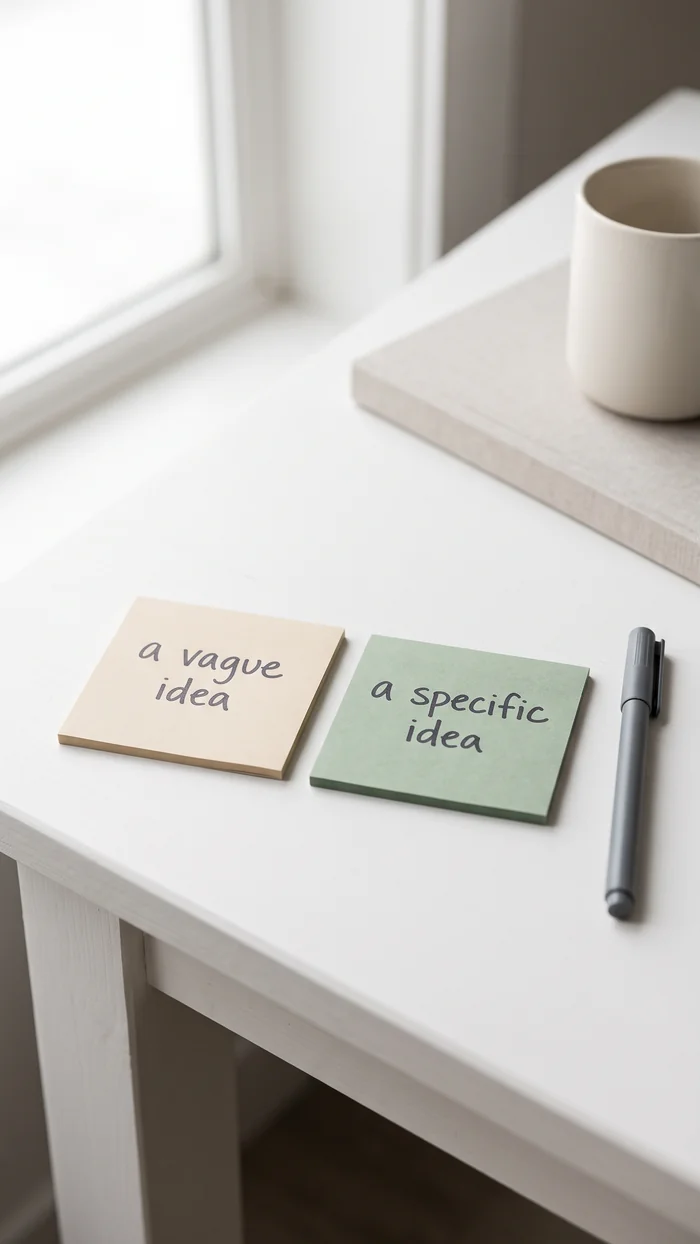
- Pick one result for one person. “A 30-day meal plan for busy parents” beats “a cookbook”.
- Draft it in whatever tool you know. Google Docs for text, Canva for printables, a screen recording for a mini-course.
- Ship a small first version. A 15-page planner today beats a 60-page course next year.
- List it where people already shop — Etsy for printables, your own site or Gumroad for everything else.
- Improve from real feedback. Your first five buyers will tell you exactly what version two needs.
This page is the full build guide. If you have not chosen what to make yet, start with digital products to sell: how to choose an idea — it answers “what should I create” before this page answers “how do I create and sell it”.
Step 2: Define the exact result
Before you open a design tool, write one sentence describing the result your buyer gets. Not “a budget planner,” but “a planner that helps someone see where their money goes in under ten minutes a week.” The clearer the promised result, the easier every later decision becomes, from design to the listing copy.
Step 3: Choose a simple tool
You do not need expensive software. Beginner-friendly tools handle most first products: design apps for printables and graphics, spreadsheet tools for template products, document tools for guides and workbooks. Pick one you can already use or learn quickly, and resist the urge to master a complex tool before you have sold anything.
Step 4: Build the first version
Make it genuinely good, then stop. Clean, clear, and usable beats elaborate. For anything printable, design in a standard size, keep the layout uncluttered, and export as a locked file so it looks the same on the buyer’s screen and printer. The sell printables guide covers the format details.
Resist scope creep. Your first version solves one problem well. Version two can add more, once buyers tell you what they actually want.
Step 5: Choose where to sell
Two broad options. A marketplace like Etsy brings built-in traffic but takes fees and gives you less control. Your own store gives full control and better margins but you bring the traffic yourself. For a first product, a marketplace lowers the barrier, because discovery is the hardest part early on. You can add your own store later.
Step 6: Write a listing that sells the result
Your listing is not a description of a file. It is a promise of a result. Lead with the problem it solves and the outcome the buyer gets, use clear preview images, and make the value obvious in the first line. People buy the transformation, so sell the transformation.
Pricing your first version
Most first products are priced by looking at what other people charge, which sets your price by the confidence of strangers. This is a more useful starting point.
Where your price should start
- It saves the buyer an hour or two. Price it low enough to be an impulse, roughly the cost of a coffee and a snack. Volume is the point here.
- It replaces something they would otherwise buy. Price against that thing, not against other digital products.
- It makes the buyer money, or saves them a professional's fee. Price against the fee avoided. This is where most makers dramatically undercharge.
- You genuinely cannot tell. Launch at the lower end, then raise it. Raising a price after good reviews is easy; cutting one after silence tells you nothing about why.
Step 7: Launch, then improve with real feedback
List it. Do not wait for perfect. The first sales and messages will teach you more than another week of solo tweaking, what to clarify, what to add, what buyers actually value. Treat version one as the start of a conversation with the market, not the final word.
Step 8: Market it patiently
Even a great product needs to be seen. Share it where your buyers already are, lean on visual discovery platforms for anything design-led, and keep showing up. Marketing a digital product is a long, steady effort, not a single launch-day push.
How do I create a digital product to sell if I have no design skills?
Use templates and plain tools. Canva’s planner and worksheet templates, Google Docs exported as PDF, or a simple screen recording are enough for a first product. Buyers pay for a result — a budget system that works — not for professional graphic design. List your first version on Etsy or your own site and let sales tell you whether design is the blocker (it almost never is).
How do you make and sell digital products without an audience?
Start on a marketplace that has its own traffic, like Etsy for printables, rather than trying to drive your own traffic from zero. Use search-friendly titles (“budget planner printable PDF”), answer the exact questions people type into Google and Pinterest, and link your free content to the paid product. The full funnel is covered in Step 8 above.
Frequently asked questions
How do I create a digital product as a beginner?
Validate the idea first, define the exact result it delivers, build a clean first version in a simple tool, then list it on a marketplace or your own store. Start small, launch, and improve with real buyer feedback.
What tools do I need to make digital products?
Beginner-friendly design apps for printables, spreadsheet tools for templates, and document tools for guides are enough. Choose one you can use quickly rather than mastering complex software before you have sold anything.
Where should I sell my first digital product?
A marketplace like Etsy is usually best for a first product, because it brings built-in traffic and lowers the discovery barrier. You can add your own store later for better margins once you understand your buyers.
How long does it take to create a digital product?
A simple printable or template can be built in days once the idea is validated. Larger products like courses take longer. Starting small lets you launch and learn quickly rather than stalling on something ambitious.
One calm next step
If your idea is validated, define the exact result in one sentence today. That sentence is the spine of the whole product, and writing it makes the next steps obvious.
If you skipped validation, go back to it, it is the step that decides whether all this effort pays off: validate a digital product idea. And when your product is printable, follow the specifics in how to sell printables online. Once the first sales land, the free One-Month Money Reset Kit is a simple way to see what the product is really earning you after fees.
Free kit
Get the Free Money Reset Kit.
Found this useful?
Pin it to come back to laterKeep reading
A few useful next steps
Digital Product Ideas That Solve Real Problems (and How to Find Them)
Stop guessing at digital product ideas. A repeatable way to find ideas people already search for, plus categories of problems that reliably sell.
Digital Products to Sell: How to Choose an Idea People Will Actually Buy
A calm, honest guide to choosing a digital product that sells. The product types that work, how to find an idea people want, and why validation beats hope.
How to Sell Printables Online: A Practical Start to Finish Guide
A practical, experience-led guide to selling printables online. What to make, how to design and format them, where to sell, and how to actually get found.